
Tablir Owner
For owners and managers: menu, orders, tables, inventory, staff, reports.
Or use it in the browserOperations software for F&B shops
Guests scan the QR code on their table to order through Zalo, and the order reaches the kitchen screen instantly. Owners manage the menu, inventory, promotions, shifts and payroll on the web. Workers have an account of their own and can work at several shops.
Open for shop owners · use it in the browser, on Windows and on Android · the iOS app is waiting for Apple review
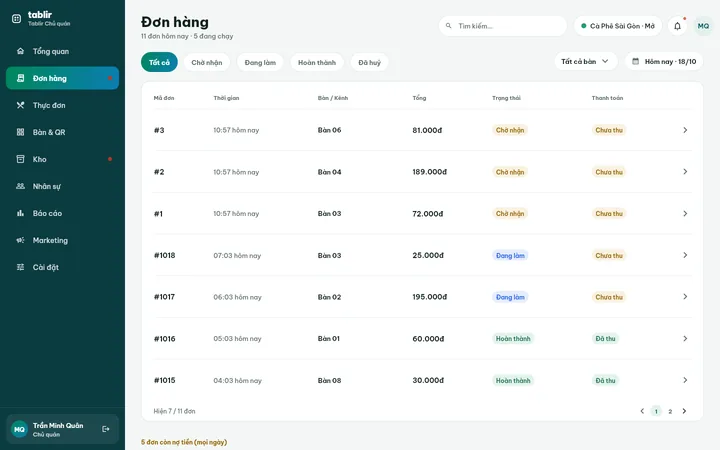
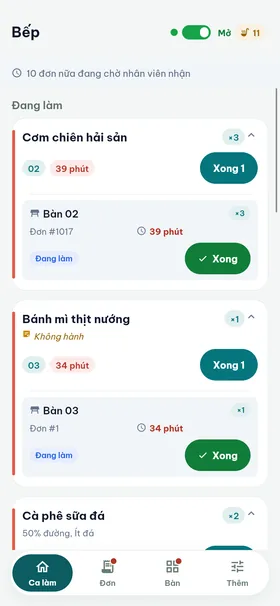
An order just placed, a dish just finished, a table just paid: everyone sees it right away, without reloading.
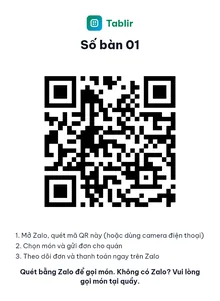
Scan the QR code on the table, order in the Zalo Mini App, follow the dishes being prepared and rate the meal afterwards.
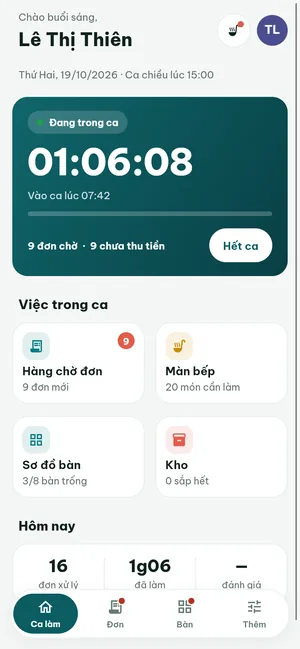
The Tablir Staff app: take orders, kitchen screen, table map, collect payment; clock in, see shifts, payslips, request leave.
A web dashboard for the menu, tables and QR codes, inventory, promotions, reports, HR and per-person permissions.
Each table has a permanent QR code. A table session groups all of that table's orders until payment; tables charged by the hour add the time charge automatically.
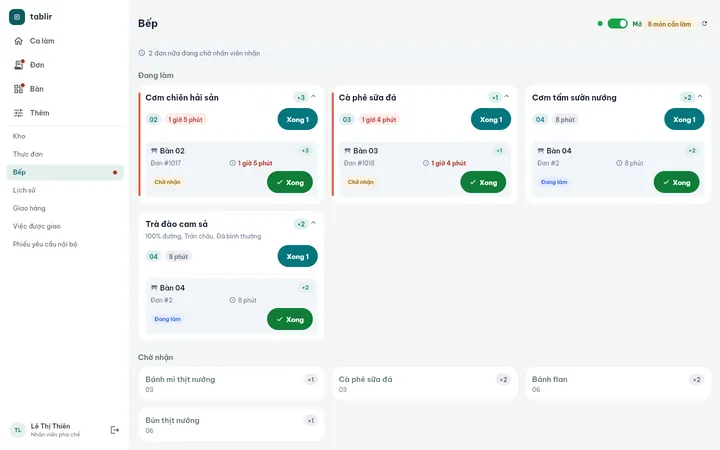
Orders are pushed to the kitchen screen over a realtime connection. Update the status of each dish; cancel with a reason so it can be counted at month end.
Optional: accept orders only from networks the shop has confirmed, so a photo of the QR code taken home cannot be used to order.
Stock is reserved the moment a guest orders and released on cancellation, so it never goes negative. Recipes per dish and per option; low-stock alerts.
A separate QR code for guests ordering when they are not at the shop. Delivery fees by distance, free within a radius, plus a bad-weather surcharge. The shop delivers.
Vouchers, discount campaigns, happy hours, buy X get Y and free items, alongside the shop's signature dishes.
Daily revenue; best sellers, revenue by hour, payment-method mix and unpaid orders.
Turn each function on or off per staff member or per position. The server checks permissions on every action, not just by hiding buttons.
Checked against GPS location, Wi-Fi and the shop's network. A clock-in that cannot be verified is not blocked: it is flagged for a manager to review.
Plan shifts, let staff respond to assigned shifts, submit and approve leave requests.
Pay components, tiered bonuses, violation rules and pay periods; each person sees their own payslips in the app.
Reviews by cycle and criteria, including guest ratings; staff files, contracts and documents.
People in F&B often work at several places and change jobs. Tablir lets them keep one account through all of it.
The shop creates an invite with the position, pay and job description. The worker scans it, reads the terms first, then accepts.
Work at several shops at once with one account, and switch between workplaces inside the app.
Leaving one shop does not delete your account; payslips from that workplace stay viewable for the published period.
Workers can delete their own account at any time. See the account deletion policy.
Pricing
Prices and plan contents come straight from the Tablir system, so the table below always matches what a shop gets in the app.
QR ordering at the table · kitchen screen · table sessions & payment · time tracking · daily revenue report · per-staff permissions
Monthly prices in Vietnamese dong (VND).
One app per role. Install it on a Windows point-of-sale machine or a phone, or use it straight in the browser.
For owners and managers: menu, orders, tables, inventory, staff, reports.
Or use it in the browserFor every staff member: clock in, shifts, orders, tables, kitchen, payslips.
Or use it in the browserThe Windows app runs on Windows 10 and 11 (64-bit), keeps running in the background and starts with the computer. The installer is not code-signed yet, so Windows may warn the first time: click “More info”, then “Run anyway”.
Call or email. The IR Tech team will suggest a plan and help you get started.
Email us